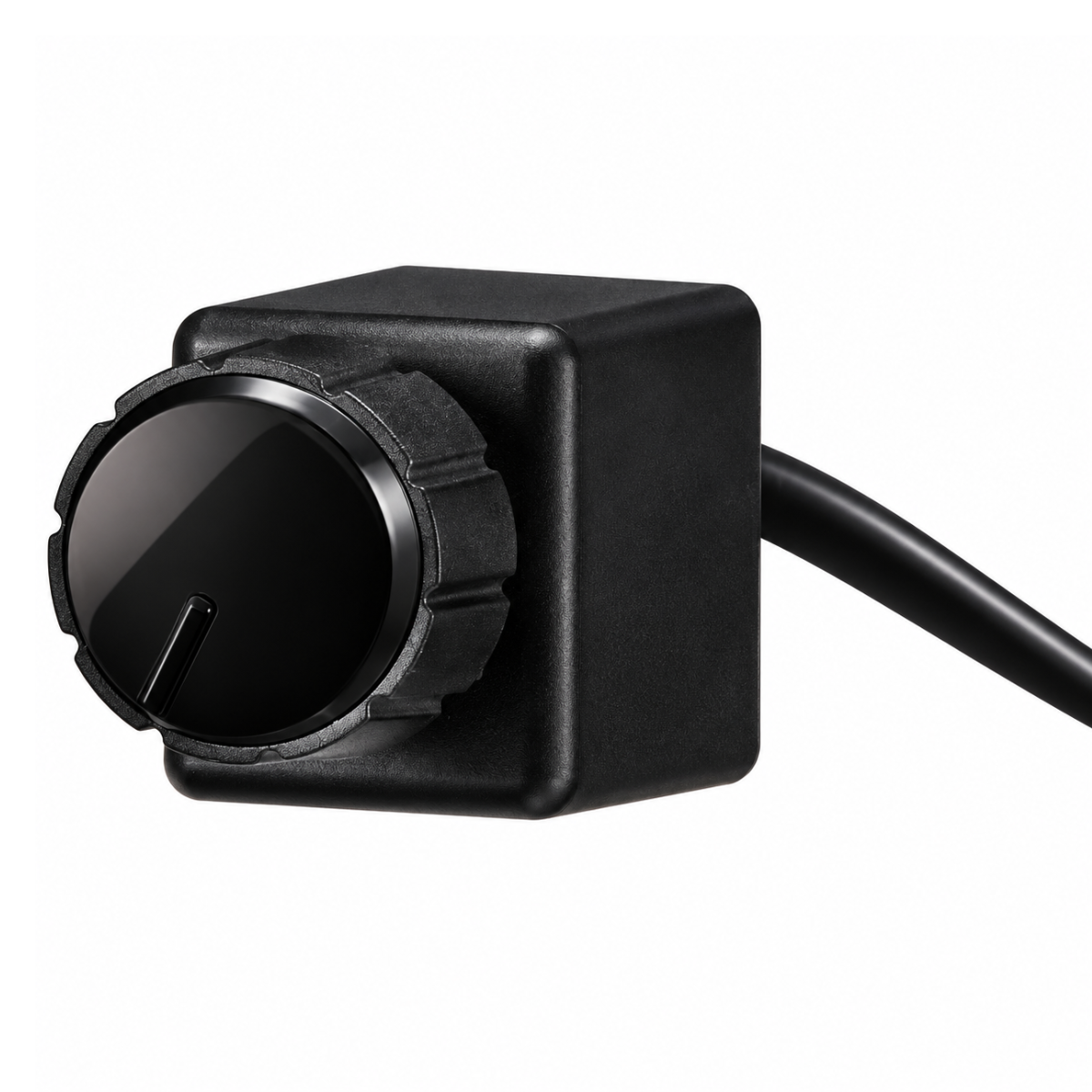


Kenwood KCARC01A Wired Bass Level Remote Control for eXcelon Amplifiers
$44.99
Overview
Take control of your bass with the Kenwood KCARC01A Wired Subwoofer Level Controller, designed for compatible Kenwood eXcelon amplifiers. Its compact rotary knob lets you conveniently adjust subwoofer output from the driver’s seat without accessing the amplifier.
Featuring a 19.7-foot (6-meter) connection cable, a compact panel-mounted design, and simple wired operation, the KCARC01A offers convenient bass adjustments for your car audio system.
- Wired subwoofer level adjustment
- Compatible with select Kenwood eXcelon amplifiers
- 19.7 ft (6m) connection cable included
- Easy-to-use rotary control knob
- Compact dashboard mounting design
- RJ-25 cable connectors
- Mounting washer and hex nut included
- No batteries or wireless pairing required
Product details
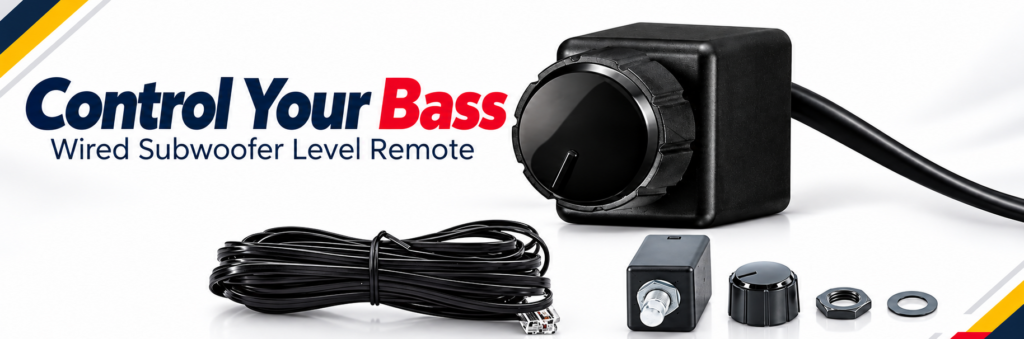
The KENWOOD KCARC01A is a wired remote level control that lets you adjust your subwoofer level from the driver’s seat,
without reaching the amplifier.
It is the optional remote for Kenwood Excelon amplifiers.
- Made for Kenwood Excelon X502-1 and X802-5 amplifiers
- Also listed for the marine XM502-1 and XM802-5 versions
- Rotary knob for quick subwoofer level changes
- 6 m (19.7 ft) cable with RJ-25 plugs included
- Panel mount with the supplied washer and hex nut
- Black finish; the amplifier is sold separately
KENWOOD KCARC01A Overview
The KENWOOD KCARC01A is a small wired control that puts your subwoofer level within easy reach.
Mount it on a panel near the driver, plug it into the amplifier’s remote terminal,
and turn the knob whenever a track needs more or less bass. There is no need to open a trunk or crawl under a seat to change the setting.
It is an optional accessory for select Kenwood Excelon amplifiers and is not included with the amplifier. P
lease check compatibility below before ordering.
Key Features
- Remote subwoofer level control: change the bass level from the driver’s seat
- Rotary knob: turn to raise or lower the level
- Wired connection: the cable plugs into the amplifier’s remote terminal
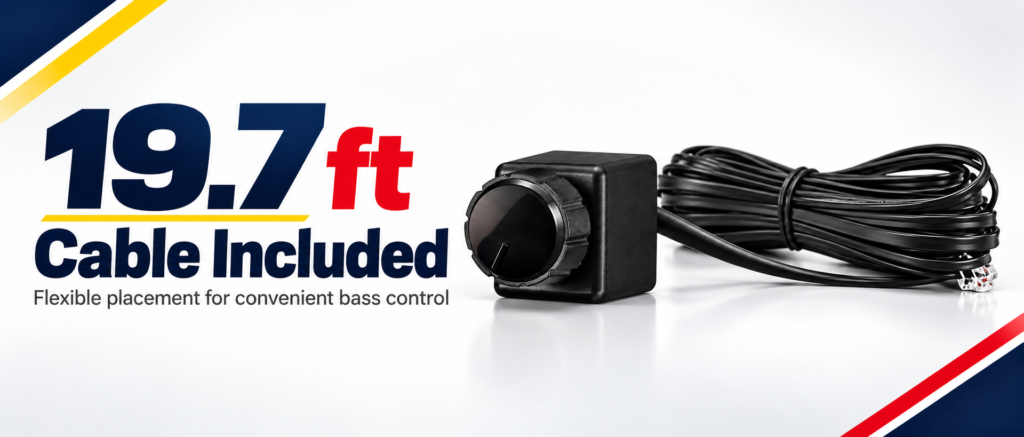
- 6 m (19.7 ft) cable included: RJ-25 plugs on both ends give you room to route the cable to the dash or console
- Panel mount: the supplied washer and hex nut fix the control to a panel
- Compact body: about 1-5/8 in (41 mm) of depth is needed behind the panel,
and the knob stands about 3/4 in (19 mm) above it - Color: black
- Brand: Kenwood Excelon series accessory, model KCARC01A
Compatible Amplifiers
The KCARC01A is designed for these Kenwood Excelon amplifiers:
- Kenwood Excelon X502-1 (500 W RMS mono amplifier)
- Kenwood Excelon X802-5 (800 W RMS 5-channel amplifier)
Several retailers also list it for the marine versions, the Kenwood XM502-1 and XM802-5.
If you have one of those, send us the amplifier model and we will confirm before you order.
Important: This control is for Kenwood amplifiers with a remote terminal.
It is not for other brands, and it is not a receiver or head-unit remote.
Installation Overview
Planning the mounting spot and cable route before you start makes the install much easier.
- Choose a panel within the driver’s reach that has about 1-5/8 in (41 mm) of free space behind it
- Fix the control to the panel with the supplied washer and hex nut
- Run the 6 m cable from the control to the amplifier and plug it into the amplifier’s remote terminal
- Keep the cable away from sharp edges and moving parts, and follow the amplifier and vehicle instructions for routing

Important Fitment Note
Will the KCARC01A work with my amplifier?
It is made for the Kenwood Excelon X502-1 and X802-5 amplifiers, and your amplifier must have the remote terminal.
Before ordering, measure the distance from the amplifier to where you plan to mount the control and check that the 6 m cable is long enough along the path it will take.
If you are unsure, send us your amplifier model and we will confirm before you order.
What’s in the Box
- 1 x KENWOOD KCARC01A wired remote level control
- 1 x 6 m (19.7 ft) connection cable with RJ-25 plugs
- 1 x washer
- 1 x hex nut
- Instructions/documentation
The amplifier is sold separately. Package contents may vary by region or product revision.
FAQs
What is the Kenwood KCARC01A?
It is a wired remote level control for Kenwood Excelon amplifiers. It lets you adjust the subwoofer level from the driver’s seat.
Which amplifiers does it work with?
The Kenwood Excelon X502-1 and X802-5. Several retailers also list it for the marine XM502-1 and XM802-5 versions.
Does it come with the amplifier?
No. Kenwood sells it as an optional accessory, so it must be bought separately.
How long is the cable?
The included cable is 6 metres (19.7 feet) long.
What kind of connector does the cable use?
RJ-25 plugs on both ends. One end goes to the control, the other to the amplifier’s remote terminal.
How do I mount it?
It mounts on a panel using the supplied washer and hex nut. Allow about 1-5/8 in (41 mm) of space behind the panel.
The knob stands about 3/4 in (19 mm) above the panel surface.
Is it wireless?
No. It connects to the amplifier with the supplied cable.
Can I use it with another brand of amplifier?
No. It is made for Kenwood amplifiers with a remote terminal.
What if my amplifier is not on the list?
Send us your amplifier model and we will check for you. Please do not order until we have confirmed it.
Specifications
| Weight | 1 lbs |
|---|---|
| Dimensions | 7.5 × 6 × 2.5 in |
| Brand | KENWOOD |
| Product Type | Wired remote subwoofer level control |
| Series | Kenwood Excelon |
| Compatible Amplifiers | Kenwood Excelon X502-1, Kenwood Excelon X802-5 |
| Also Listed For (Marine) | Kenwood XM502-1, Kenwood XM802-5 |
| Control Type | Rotary knob |
| Cable Length | 6 m (19.7 ft) |
| Connector | RJ-25 plugs (both ends of the cable) |
| Knob Protrusion | About 3/4 in (19 mm) |
| Panel Hole Size | 5/16 in (about 8 mm) |
| Chassis Size (W x H x D) | About 0.9 x 1.0 x 1.3 in (23 x 25 x 33 mm) |
| Model (MPN) | KCARC01A |
| Package Contents | Remote level control, 6 m cable with RJ-25 plugs, Washer, Hex nut, Instructions / documentation |
| Amp Knob | Amp Knob |